Other Detector
Automatic detection of listed objects when they appear within render range

1
Icon on the left side of the screen
2
Sound
3
Chat message
4
Notification
5
Highlight game window
6
Show game window
7
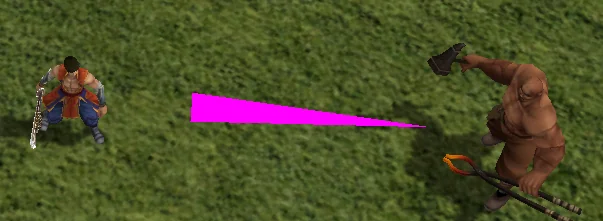
Draw a line to the target
8
List of targets to detect
Notification methods
- Icon on the left side of the screen
- Displays an icon on the left side of the game window when detection occurs
- You can click the button to walk or teleport to the detected target

- Sound
- Plays an alarm sound after detecting a target
- You can change the sound by editing the other.wav file located in *\HLBot\data\sounds\
- The default sound alert sounds like this:
- Chat message
- Sends a message to chat informing you about the detected target

- Sends a message to chat informing you about the detected target
- Notification
- Displays a notification about detection in the bottom center of the screen

- Displays a notification about detection in the bottom center of the screen
- Highlight game window
- Highlights the game window after detection
- Useful to grab your attention if the game is running in the background
- Show game window
- Automatically restores the game window after detection
- If the game is minimized, it will be restored
- Draw a line to the target
- Draws a line from your character to the detected target
- Makes it easier to quickly find the object even in crowded areas
- List of targets to detect
- Lets you define your own list of objects to detect
- Allows you to customize the detector for specific needs
- You can add or remove objects from the list as you prefer