Purge Detector
Automatic detection when your target gets purged.
info
The detector only works on the target selected by the farmbot!

1
Sound
2
Chat message
3
Notification
4
Logout
5
Close the game
6
Change channel
7
Stop all functions
8
Highlight game window
9
Show game window
10
Never resume
11
Resume delay
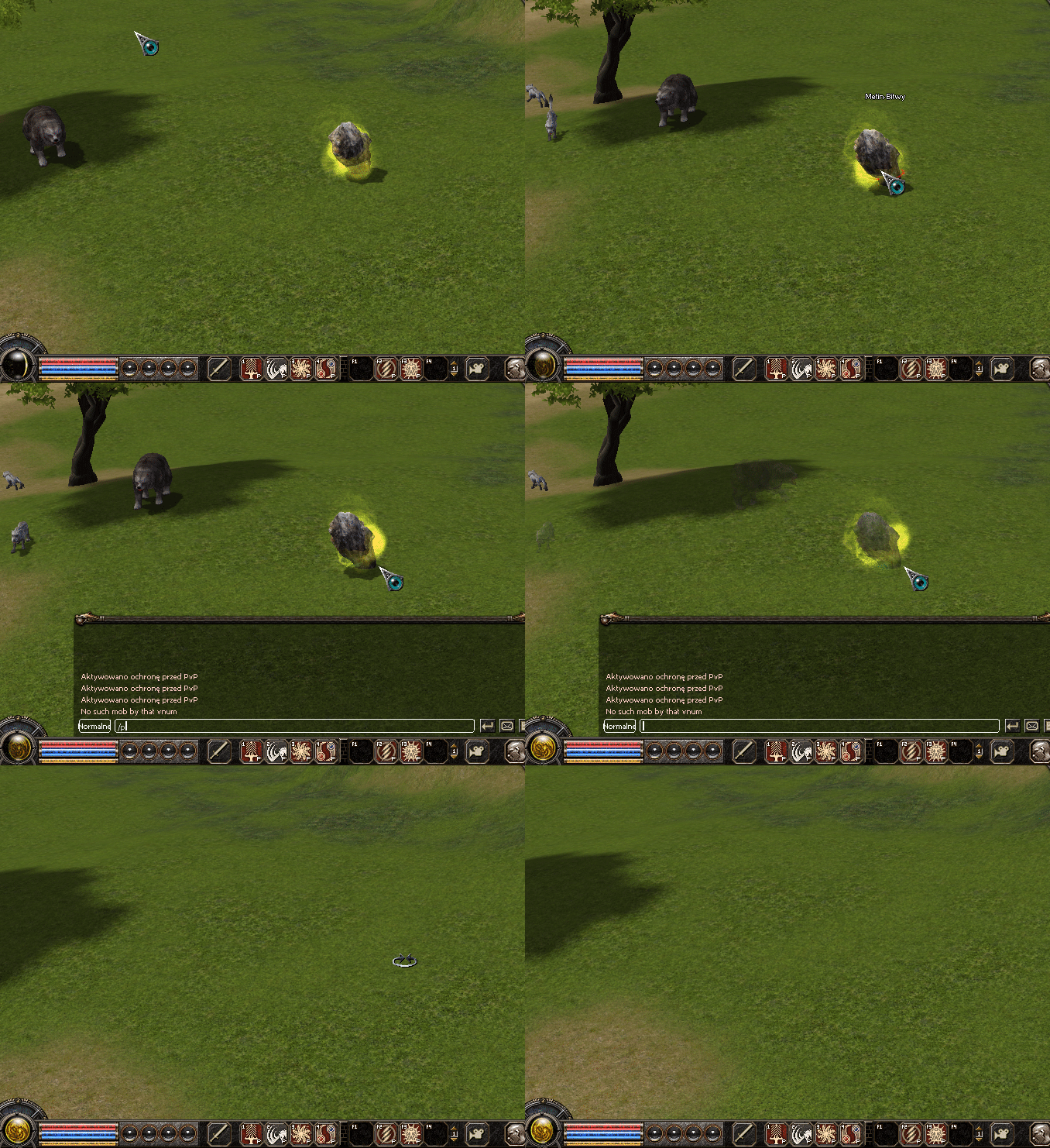
What is "purge"?
Purge is a command used by server administrators to remove objects within a certain range. (Mobs, Metins, Bosses)
How does it work in practice?
Let’s say you set up a farmbot for metins, e.g. on Origins2.
When your character is running toward a stone and it suddenly disappears, and there’s no other player nearby, you can be sure that someone used the /purge command and you’re probably being checked by the server administration.
Notification methods
- Sound
- Plays a sound alert when purge is detected
- Chat message
- Sends a chat message informing about detected purge

- Sends a chat message informing about detected purge
- Notification
- Displays a notification about detected purge in the bottom center of the screen

- Displays a notification about detected purge in the bottom center of the screen
- Logout
- Automatically logs out your character when purge is detected
- Close the game
- Immediately closes the game after purge is detected
- Change channel
- Automatically switches to another channel when purge is detected
- Stop all functions
- Stops currently running bot functions after purge detection (except detectors)
- Increases safety by stopping automated actions
- Highlight game window
- Highlights the game window after detecting purge
- Useful to grab your attention if the game is running in the background
- Show game window
- Automatically restores the game window after detecting purge
- If the game is minimized, it will be restored
- Never resume
- The bot will never resume the function
- Resume delay
- The bot will resume the function after the set time has elapsed.
- 0 = immediately