Profile
Profile functions can be found at https://hlbot.net/profile
- Profile details
- IP Authorization
- Payment history
- Login history
- Token transfer
- Forum synchronization
- Token history
Profile details
In the details you can find information such as:
- Account login
- Account email
- Number of tokens
- License duration

IP Authorization
By default, every login from a new IP requires verification by email.
You can disable this authorization here.
Here you will find a list of authorized IPs. You can view and remove them here.
You can also disable the authorization system here.

- Enable for higher security
- Disable for easier login
Disabling IP authorization lowers the security of your account!
Payment history
Here you can see the history of your payments and their status.
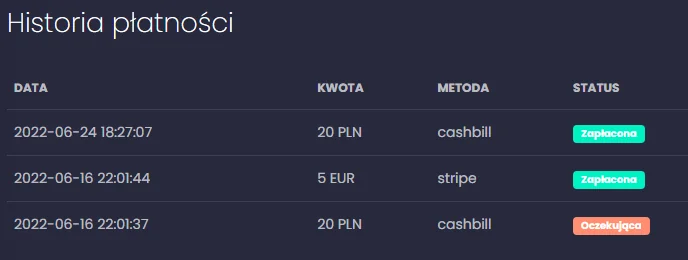
 | Means the payment was completed successfully and you received your tokens |
 | Means the payment hasn’t reached the provider yet |
 | The payment failed, so no funds were taken from your account and no tokens were granted. If, due to an error, money was taken, it will be automatically refunded within a few days. If the refund doesn’t arrive, please contact our support. |
Login history
Here you can see the history of your logins and the IPs used.
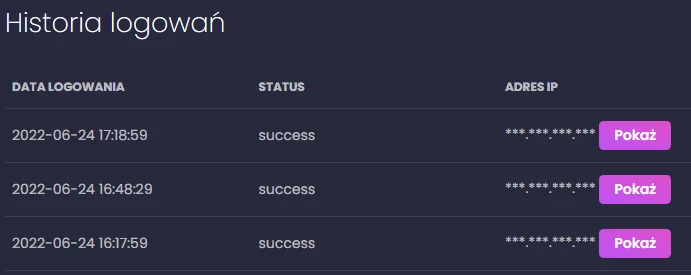
Regularly check your login history to make sure no unauthorized person logs into your account.
Token transfer
Here you can transfer tokens to another account
Each transfer must be confirmed by clicking the link in the confirmation email.
After sending, tokens are ABSOLUTELY impossible to recover!
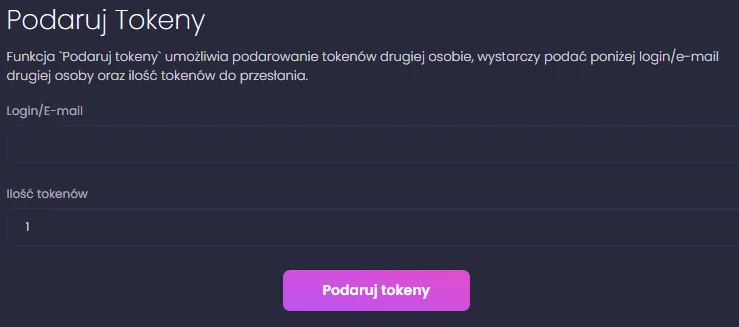
- Login of the account of your friend
- Number of tokens you want to transfer
Then click "Gift tokens"
Forum synchronization
Here you can sync your hlbot account with your forum account.
After successful sync, on the forum you will get the Premium rank (if you have an active license), which gives you access to the premium section.
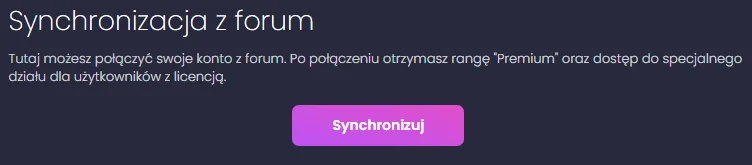
- If the button is not active, it means your account is already linked.
Gifted token history
Here you can find the history of sent tokens
